Unibox
Every answer, from every inbox, matched to the send that caused it.
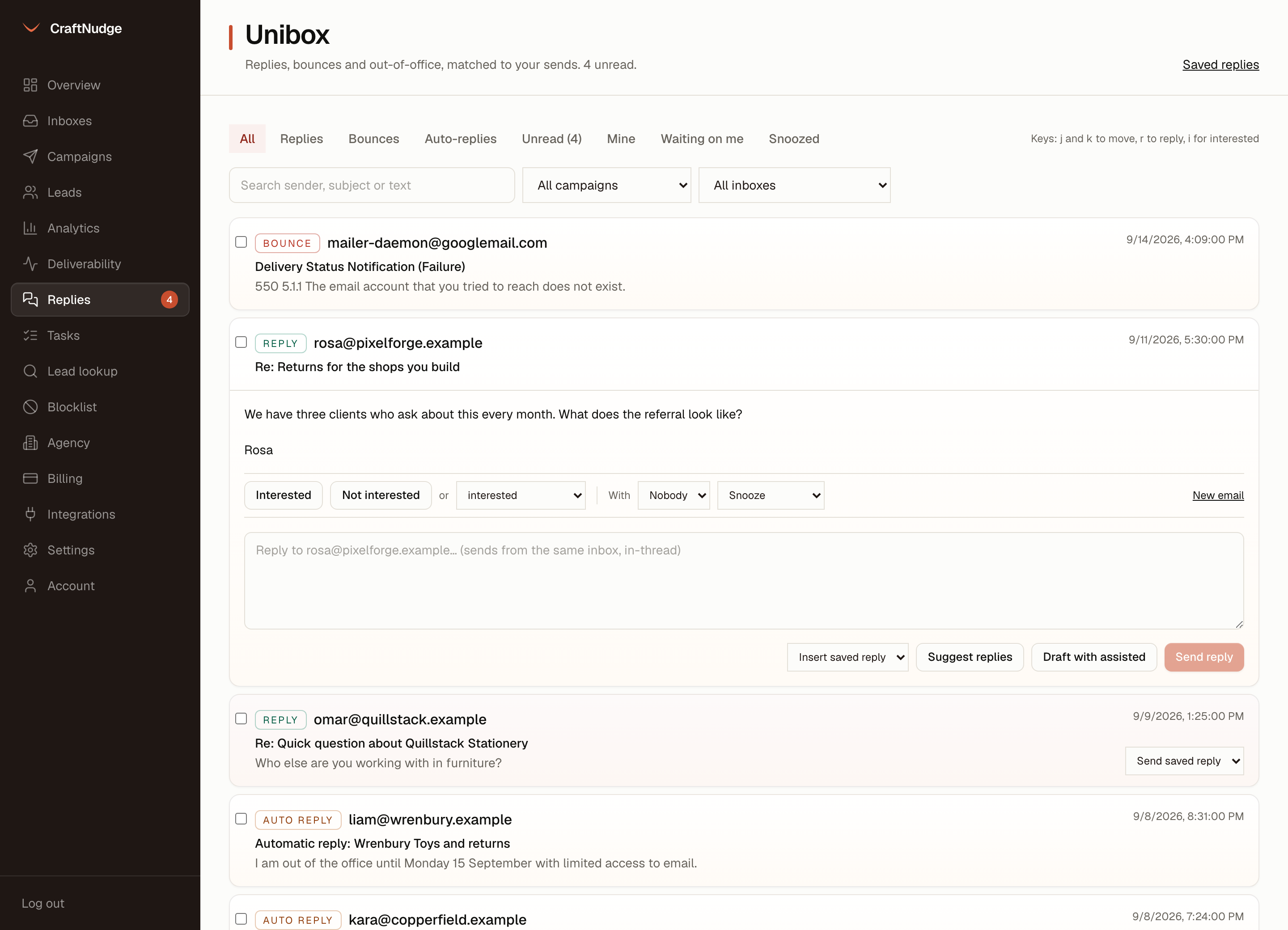
The worker reads each connected inbox over IMAP and files what comes back against your own sends. You read, classify and answer from one screen.
Matched, not guessed
A reply is tied to the exact message it answers by Message-ID, so unrelated mail in that inbox is never counted as a campaign reply.
Three kinds
Replies, bounces and auto-replies each get their own filter. A bounce carries its DSN code and cause. An out-of-office is not a reply and by default does not stop the sequence. It holds the lead until the day after they are back, and says until when.
Interest in one click
Interested or Not interested on the reply itself, or the full list: meeting booked, meeting completed, won, lost, out of office, wrong person, objection. The label is carried onto the lead, so the two never disagree.
Answer in the thread
Reply from the same inbox the message arrived in, with the right In-Reply-To and References headers, so it lands as part of the conversation. Answers write no send row and spend no cap.
A new email
New email under a reply writes to that person from any of your inboxes, as a new email or in their thread, with saved replies to hand. It waits for the same sending window and caps as your campaigns, and shows on the lead as One-off.
Share the work
Hand a reply to someone on the team, and Mine shows the ones with you. Waiting on me shows the ones still unanswered a day after they came in, and the person a reply is with gets one reminder on Telegram, if they have linked it. Snooze a reply until tomorrow, for 3 days or for a week, and it comes back on its own. Tick several to mark them read or unread, or give them one label. On the keyboard, j and k move through the list, r goes to the reply box and i marks a reply interested.
Saved replies and suggestions
Put a saved reply into the box in one click, or send one from the list once you have read it. With your own model key set, a reply nobody has marked shows how assisted reads it, an objection or a request to be taken off the list included, and Suggest replies offers up to three short answers, using what you wrote about your business for the prices, offers and details. Nothing is marked, unsubscribed or sent until you press Confirm, Unsubscribe them or Send reply.
Find it
Search by sender, subject or text. Filter by campaign, by inbox, or to unread only. The unread count sits at the top of the page.
From a notification
A Telegram, email or webhook notice carries a link that opens that thread straight away.
Feeds the numbers
A reply marked interested, meeting booked, meeting completed or won counts as positive in analytics, per campaign, per step and per variant. Marking one interested can also fire your webhook.