Analytics
The numbers that are true, cut the ways you ask.
Sent and what came back, for the workspace and for each campaign. Replies are counted exactly. Opens are shown, and told honestly.
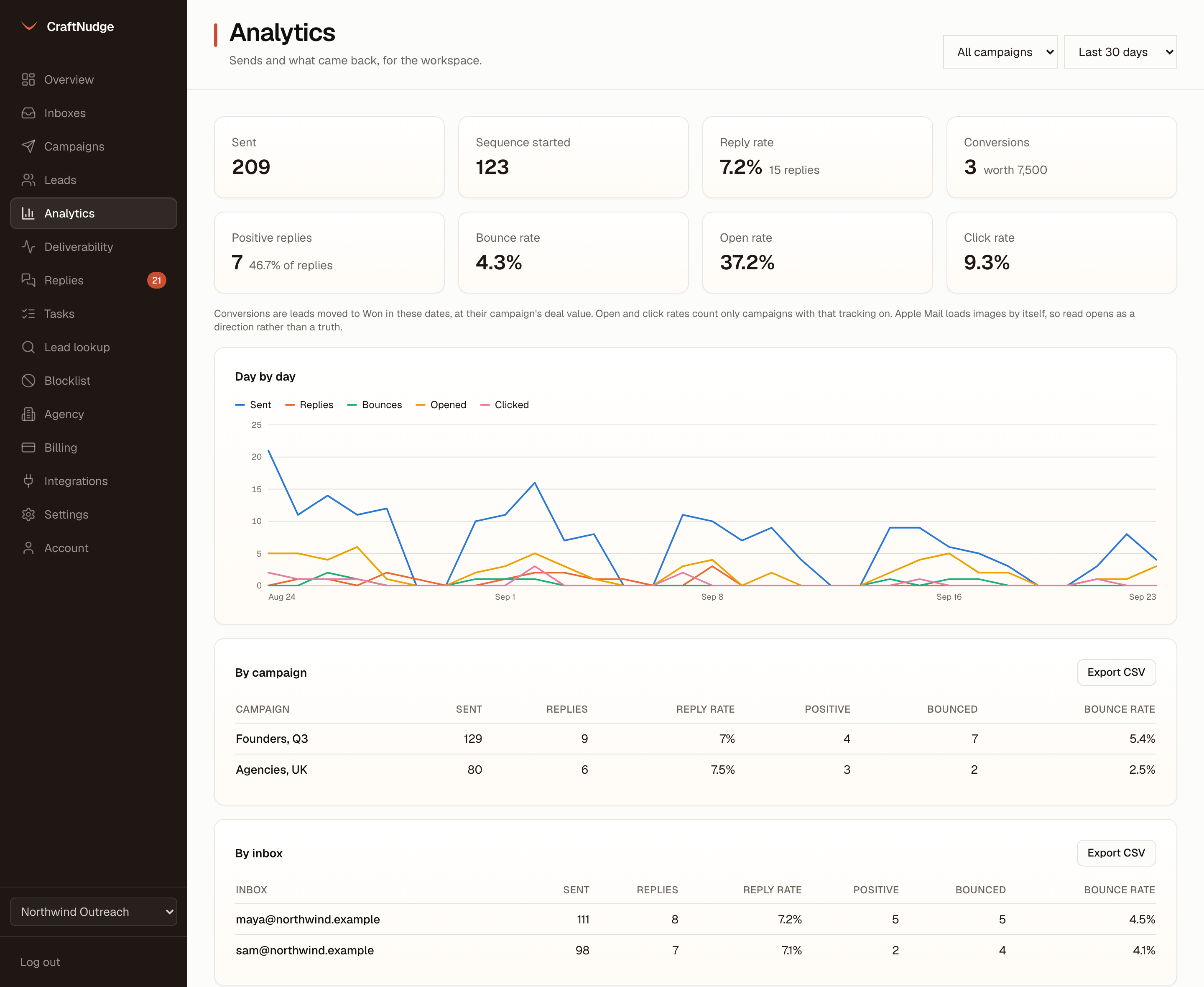
Workspace overview
Sent, sequences started, reply rate, conversions and what they are worth, positive replies and bounce rate, and open and click rates where that tracking is on. The last 7, 30 or 90 days or any dates you pick, for the workspace or one campaign, drawn day by day on a chart, then the same numbers by campaign, by inbox and by day.
Per campaign
A funnel of sent, opened, clicked and replied, the campaign’s own day by day, and a table by step and variant with sent, replies and positive replies for each.
Per inbox
Which inbox is pulling its weight and which one is bouncing. Replies you sent from the unibox are counted per inbox on the deliverability page too, since the provider counts them as mail that inbox sent.
An inbox score you can check
Every inbox starts at 100 and loses points for what we can see: bounces in the last 30 days, a reply rate under one in a hundred, seeds that missed the inbox on its last placement test, and failed sends this week. The arithmetic is printed under the table, and nothing is swapped out on its own.
Positive means something
A positive reply is one a person classified as interested, meeting booked, meeting completed or won. An unclassified reply is not one. The same list is used everywhere, so a campaign and the overview cannot disagree.
When people reply
Replies by weekday and hour, in your workspace’s timezone, over the same 7, 30 or 90 days, darker where more arrived and with the busiest hour named. Bounces and out-of-office are left out, since they say nothing about when a person reads mail.
Export
Every table has a CSV button: by day, by campaign, by inbox.
A link for a client
An owner can make a read-only link to one campaign’s results, from Settings, on the Workspace tab: leads, emails sent, replies, positive replies, bounces and unsubscribes, and where the interested leads stand from interested to won, headed with your workspace’s name. It needs no login and shows no addresses, reply text or deal value. Turn it off and it stops opening.
Opens, honestly
Open tracking is off by default. Where you turn it on, opens are shown as a direction rather than a truth: Apple pre-loads pixels and image blockers hide them. Replies need no tracking at all.