Lead lists
Nobody in your workspace gets two cold emails from you.
Lists keep people outside any campaign so the same set can start more than one. And every way a lead arrives runs through the same rules before the first send.
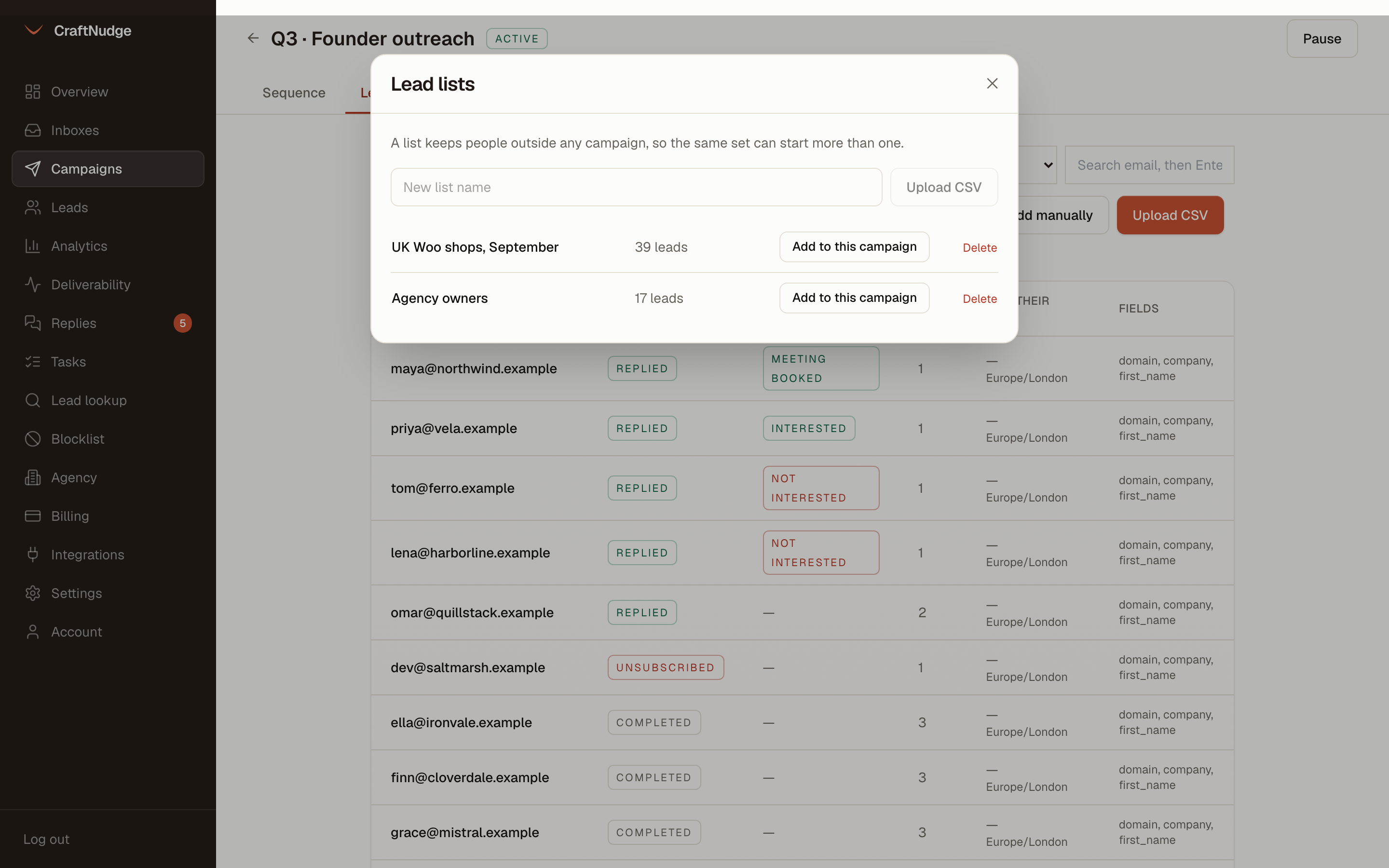
Lists outside campaigns
Upload a CSV to a named list. A list is a set of people, not a campaign, so it can start this campaign today and another one next quarter.
Every import, the same rules
CSV, a published Google Sheet, API, manual entry or a list: each address goes through the same checks, in the same order. Not an address, already in this campaign, on your blocklist, already a lead in another campaign, contacted too recently.
One campaign at a time
On by default. An address that is already a lead in another campaign in the workspace is skipped and counted, so two uploads made before the first send cannot both go out to the same person.
The re-contact window
Nobody is contacted again inside this many days, whatever campaign it is. Default 180, counted from the last email you sent them. Set it to 0 to turn it off.
Counts, not silence
Every upload reports what happened to each row: added, duplicates, invalid, blocked, in another campaign, contacted recently. A skipped row is visible. A second cold email is not recoverable.
One lead at a time
Pause a single lead and resume it later. A lead you have already emailed cannot be deleted, only paused, so deleting a row can never free up a cap or restart a sequence.
Free mail server check
One click checks every pending lead’s domain for a mail server and marks the dead ones invalid before anything is sent. It costs nothing and removes the guaranteed bounces from a stale list.
Export and search
Download a campaign’s leads as CSV with status, step and dates, or search every lead in the workspace by address.
Saved filters
Narrow a campaign’s leads by status, interest, address check, lead list or a search on the address, and save the filter under a name. Saved filters belong to the workspace, so the same one works on every campaign’s leads with one click.
The blocklist
Addresses and whole domains, typed in or imported from a CSV. Unsubscribes land there on their own, and so does an address the receiving server says does not exist. Checked on every import and again at the moment of sending.