Notifications
A reply reaches you where you already are.
Cold email is won in the hour after someone answers. CraftNudge tells you the moment a human reply lands, quotes it, and links straight to the thread.
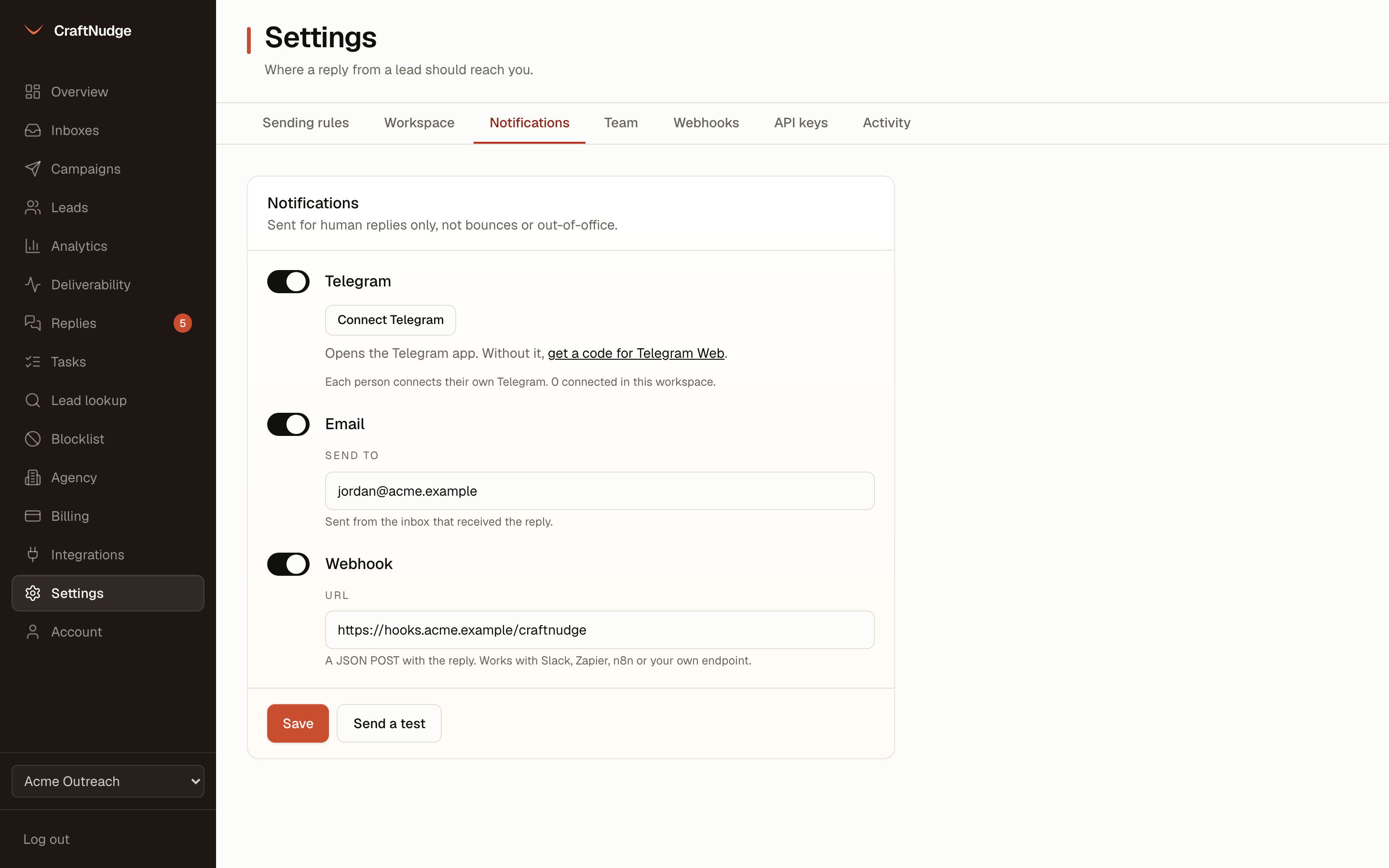
Telegram
Turn Telegram on and press Connect Telegram in the notifications settings, then open our bot in Telegram and press Start. No token, no chat id. Several people in a workspace can connect, each to their own private chat. Every reply arrives as a message: the domain, the person, the reply quoted, the campaign, the inbox, and a link to the thread. Long replies are cut to fit Telegram’s limit. The full text is always in the unibox.
The same notice to any address you choose, sent from the inbox that received the reply.
Webhook
A JSON POST to your URL for the events you tick: sent, reply, bounce, unsubscribe, interested, interest changed and task due. Every delivery is signed with a secret only an owner can see, written down before the first try, and tried again after a minute, five, thirty, two hours and twelve before it is given up on. The Integrations page lists each one and whether it arrived.
REST hooks for Zapier
Another system subscribes an address to one event with an API key and gets the same signed, retried deliveries, so a Zap can be built on our events without waiting for us.
Your CRM
Connect HubSpot or Pipedrive with a token. Each reply and each change of interest is added as a note on the contact with that email, and the contact is made if it is not there. Nothing is read from your CRM.
Human replies only
Bounces and out-of-office notices are filed in the unibox but never notified, unless you tick bounces for the webhook.
Each channel on its own
Telegram and email are tried on the spot, separately, with a ten second ceiling, so one that is slow never blocks the other or the inbox poll behind them. The webhook is queued for the worker, so a receiver that is down gets it later rather than never.
Send a test
One button sends a sample reply through every channel that is on and reports which ones answered.