Campaign editor
Write the sequence once. See it as each lead will.
Steps, waits and variants in one editor. The preview and the test send use the same renderer as a real send, so what you see is what goes out.
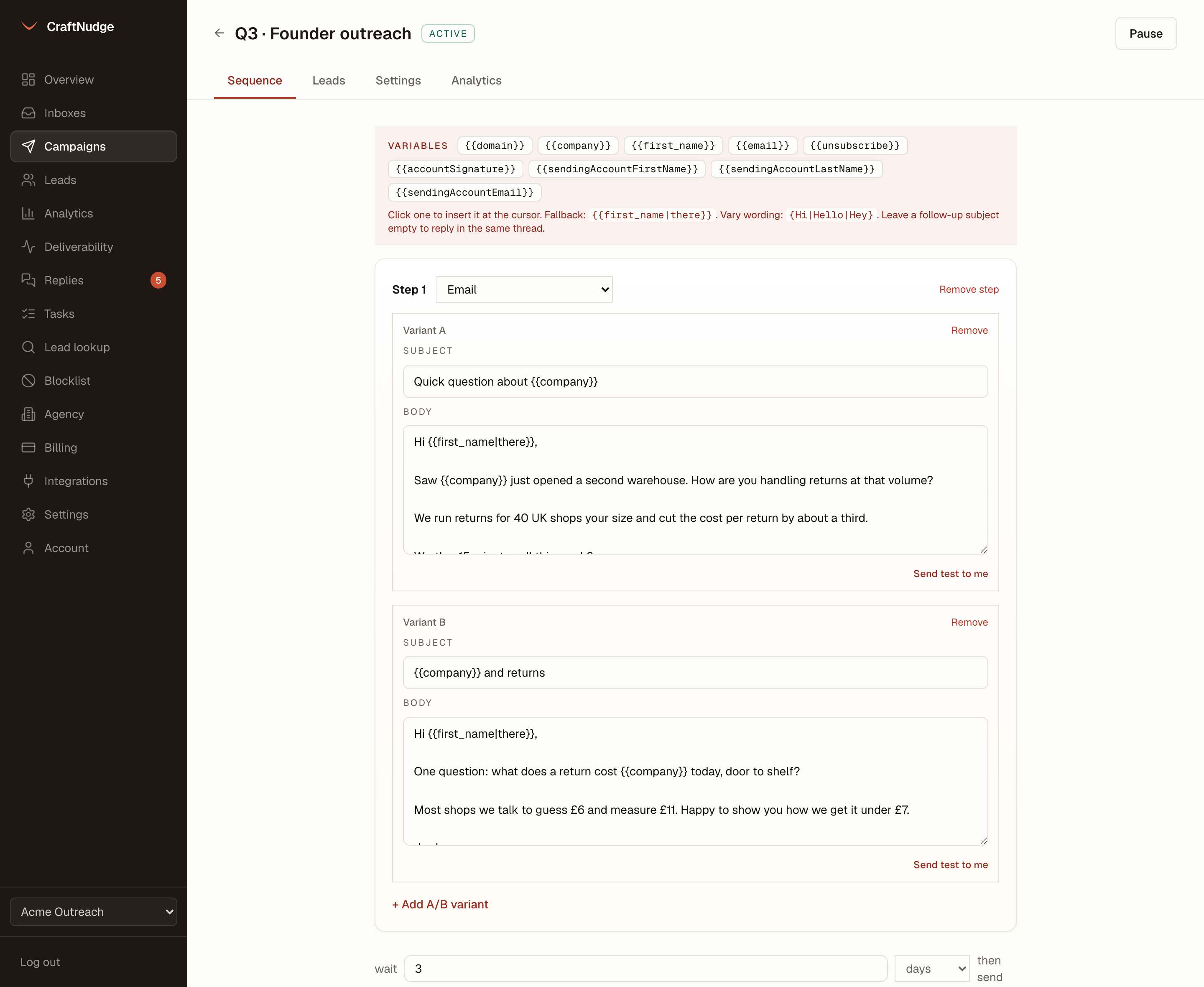
Steps and waits
A sequence is a first email and any number of follow-ups, each with its own wait in minutes, hours or days. A follow-up with an empty subject lands in the same thread as the email before it.
Templates
Save a sequence under a name and start another campaign from it. Templates are shared across the workspace. Using one replaces every step of a draft that has not sent anything, so a live sequence is never swapped out under its leads.
Task steps
A step can be a task instead of an email: view or connect on LinkedIn, message there, or call. The product writes the text for that lead, ready to paste, and the sequence waits until you mark the task done or skipped on the Tasks page. Nothing touches LinkedIn on your behalf.
A fork on the reply
A step can be for interested replies only, or for not interested ones, so a lead who answered gets the step written for their answer and skips the rest. It follows the label you set in the unibox. Set it on a step in the editor or through the API.
A/B variants
Add as many variants to a step as you like. Sends alternate at random until the campaign has sent the number you set, then the variant doing best on the metric you chose, opens, clicks or replies, is favoured.
Per-variant numbers
Sent, replies and positive replies per step and per variant, on the campaign’s analytics tab. A variant you removed still shows if it has sends.
Merge fields
Every CSV column is a variable. {{first_name|there}} falls back when the data is missing, keys match loosely so "First Name" and first_name are the same field, and {Hi|Hello|Hey} varies the wording per send.
Account variables
The sending inbox’s signature, first name, last name and address are variables too, so one sequence reads right from every inbox in the pool.
Preview as a lead
Pick any lead in the campaign and the preview renders each step with their values, from the inbox the send would use. It is rendered on the server by the same code that builds a real send.
Send a test to yourself
One click sends the step, rendered with a lead’s variables, to the address you are logged in with. It cannot go anywhere else. The subject is marked [test].
Duplicate
Copy a campaign with its steps and its inboxes as a new draft, and change what you need.
Schedule and limits
A timezone, or each lead’s own, up to four sending windows with their own days and hours, a daily limit for the campaign, a cap on new leads per day, and start and stop dates.