Email verification
Check every address before the first email goes to it.
Save your Reoon key in Settings. From then on, the leads you import wait for their address check before they can be mailed, and the ones that come back invalid or risky are skipped.
Your own key
The checks run on your own Reoon account and are paid for there. An owner saves the key in Settings, on the Sending rules tab. It is stored encrypted and never shown again. While a key is saved, your leads’ addresses are sent to Reoon to be checked.
Checked before the first send
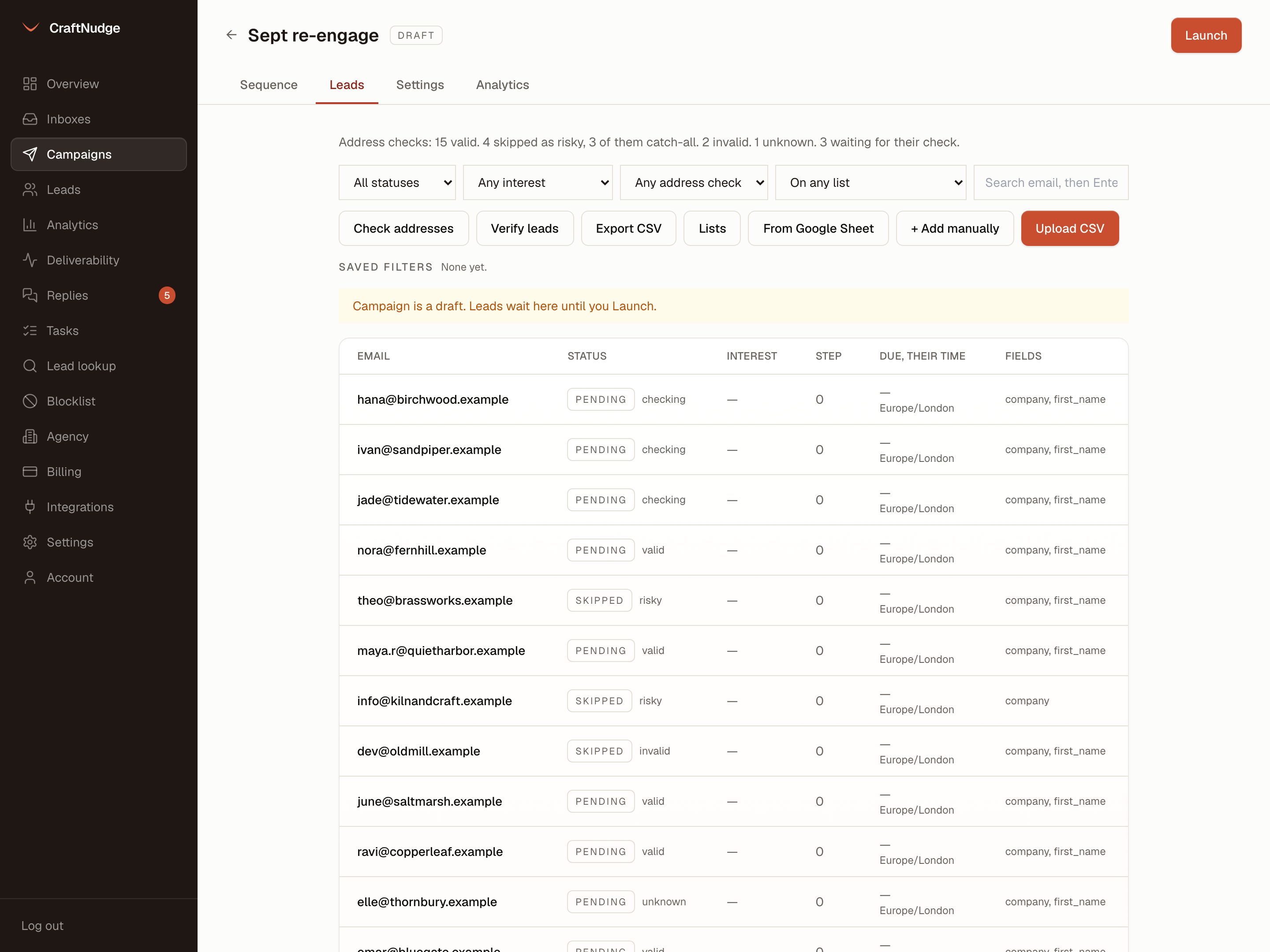
A lead imported while a key is saved waits for its check, and nothing is sent to it while it waits. Leads imported before the key was saved are checked when you press Check addresses on the Leads tab. Up to twenty addresses are checked a minute, the longest waiting first.
Four answers
Each lead shows valid, invalid, risky or unknown beside its status, and checking while it waits. Invalid is an address that does not exist, a disabled mailbox or a spam trap. Risky is a catch-all domain, a role address such as info@, a disposable address or a full inbox.
Skipped by default
A campaign skips the leads whose check comes back invalid or risky. Catch-all company domains count as risky and can be a large share of a B2B list, so the campaign says how many it skipped as catch-all. Turn the skip off in a campaign’s settings, and leads checked from then on are mailed whatever the answer.
Unknown is not valid
A check that fails, or cannot tell, is marked unknown. Unknown leads are not skipped, and nothing says they are good.
Never stuck
A lead that has waited a day for its check is sent unchecked rather than held for good, and the campaign says how many went out that way. Removing the key frees every lead still waiting, straight away.
Counted each month
Settings shows how many addresses were checked this month, to match against your Reoon account.
Who receives it
Each lead also shows who receives its mail: Google, Microsoft, another provider, or no mail server at all. It is read from the domain’s MX records, a hundred domains a minute after import, with or without a key. Filter the Leads tab by it, and save the filter.