Saved replies
The answer you type every day, written once.
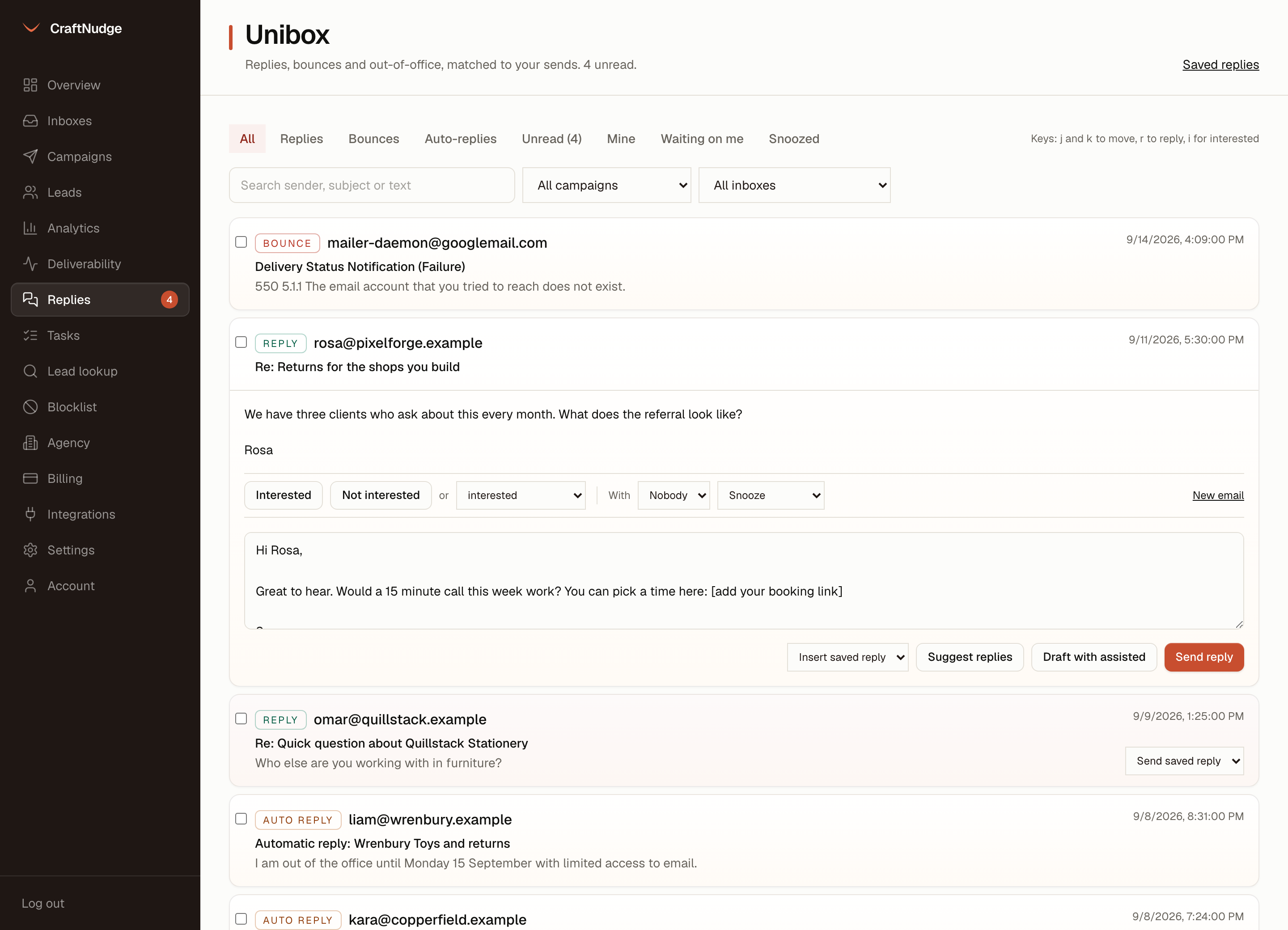
Keep the replies you send again and again, like not now, send information and book a call. Put one into any unibox thread with one click, filled in for that person, and change what you like before you send.
Merge fields
The same fields as a campaign step. {{firstName|there}} fills from the lead, {{sendingAccountFirstName}} from the inbox the reply goes out from, and a fallback covers a blank.
Insert, then change
Insert saved reply fills the reply box for that thread. Read it, change what you like, and press Send reply.
Or send from the list
Send saved reply on a thread in the list fills it in, shows you the whole message, and sends only once you confirm.
In the same thread
A saved reply goes out like any reply from the unibox: from the inbox that got the reply, in the same thread.
One set for the team
Everyone in the workspace uses the same saved replies, kept on the Saved replies page, where each one can be edited or deleted. An empty page offers three to start from, and nothing is saved until you add one.
Suggestions know your answers
With your own model key set, Suggest replies offers up to three drafts for a thread, written with up to ten of your saved replies in view. A draft fills the box only when you pick it.