Docs
Running a client workspace.
For agencies. Each client gets a workspace of their own, connects their own inbox without handing you a password, and sees the results without being able to change anything.
A workspace for each client
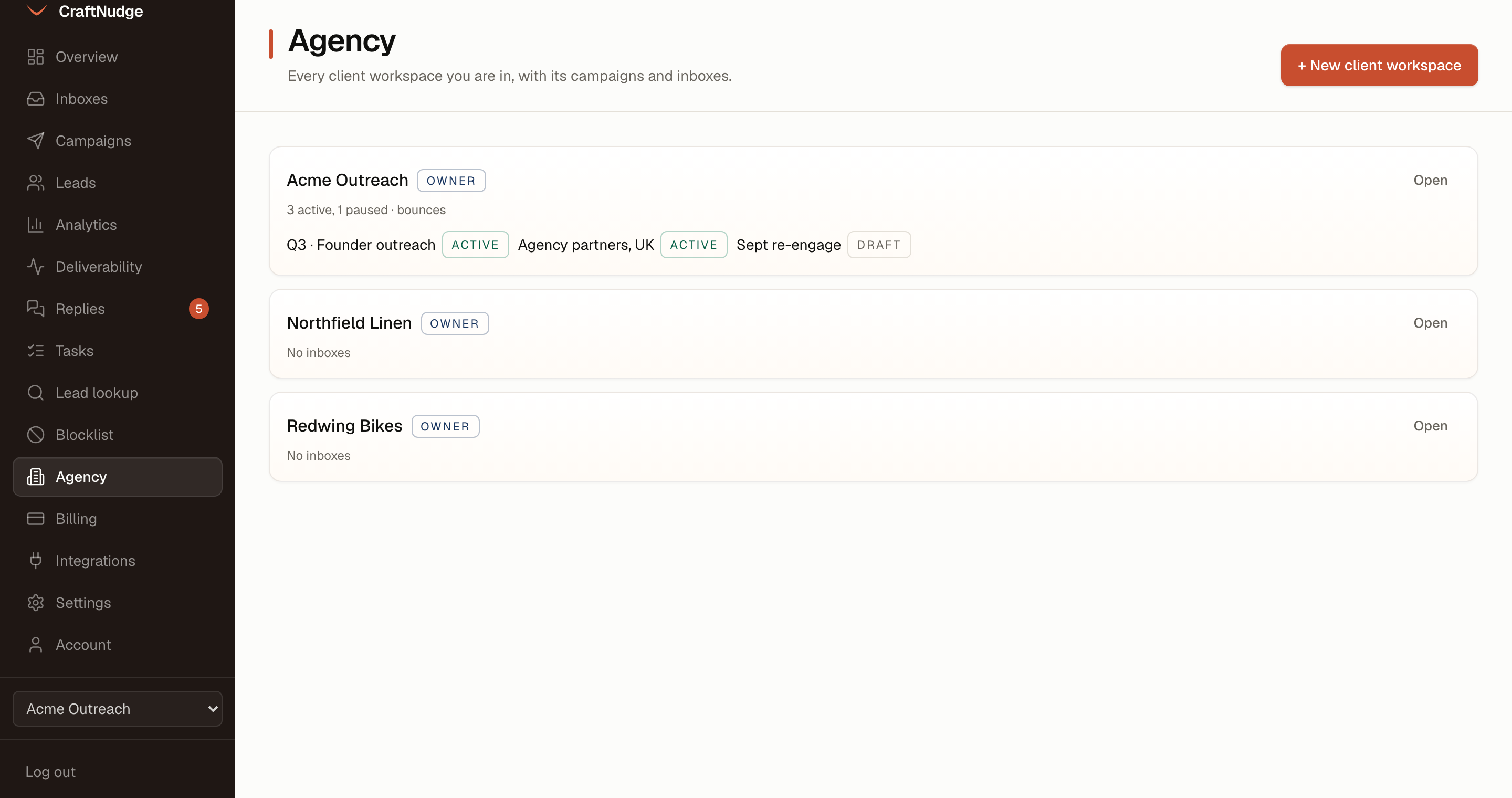
Open Agency and press New client workspace, then type the client's name. Each workspace keeps its own inboxes, campaigns, leads, team and bill. The Agency page lists every workspace you are in, with your role, its inboxes and its campaigns, and its sent, sequences started, reply rate, bounce rate and conversions over the last 7, 30 or 90 days. Open switches you into one, and so does the workspace menu at the foot of the sidebar.
Put your agency’s name on it
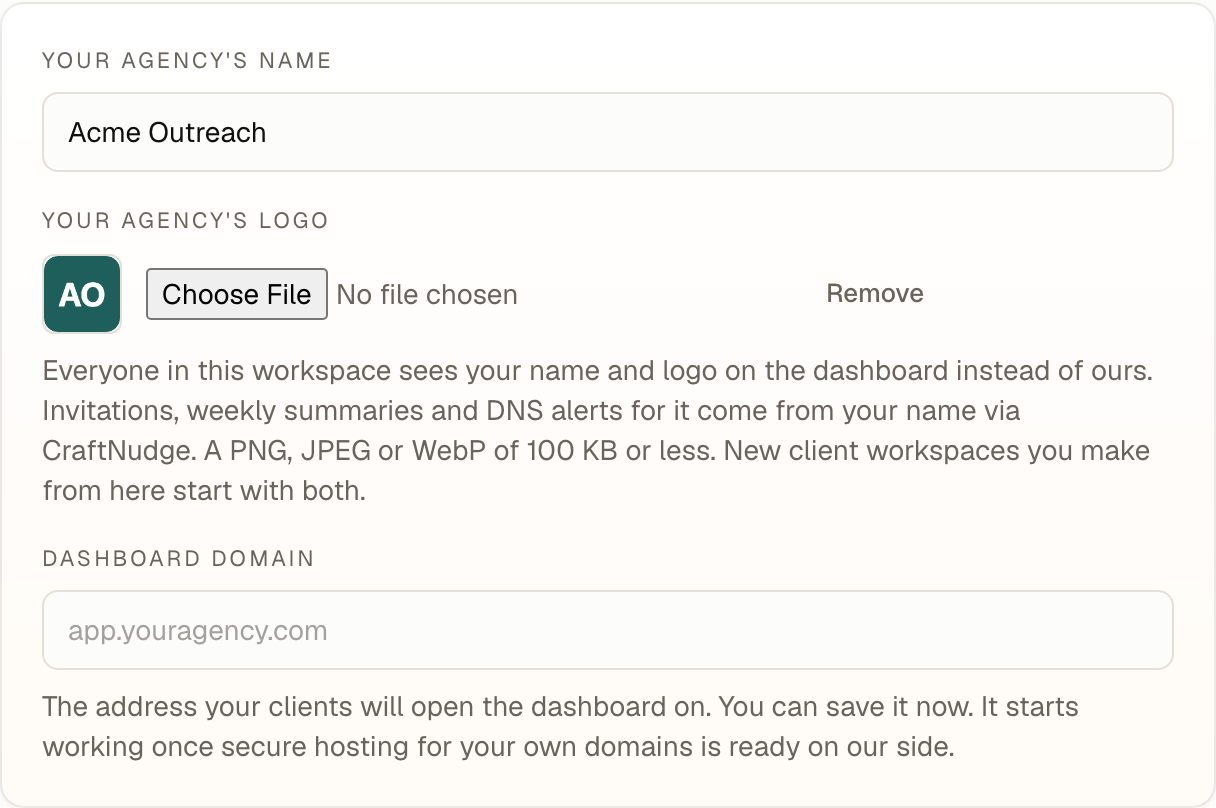
In Settings, on the Workspace tab, an owner types Your agency's name and picks Your agency's logo, a PNG, JPEG or WebP of 100 KB or less, and presses Save. Everyone in that workspace, the client included, then sees your name and logo at the top of the dashboard in place of CraftNudge's. A client workspace you make from a workspace that has them starts with both.
A dashboard domain can be saved there too, but it does not work yet, so your clients still sign in at the usual address.
Let the client connect their own inbox
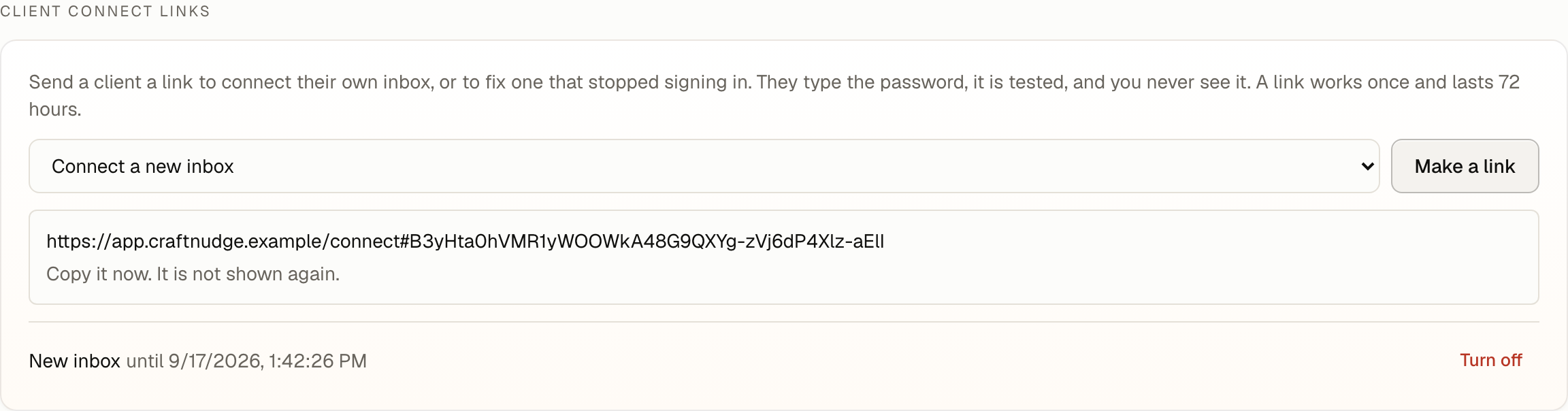
On the Inboxes page, under Client connect links, choose Connect a new inbox, or Fix with the inbox that stopped signing in, and press Make a link. Copy the link then, since it is not shown again, and send it to the client. It works once and lasts 72 hours, and Turn off stops it sooner.
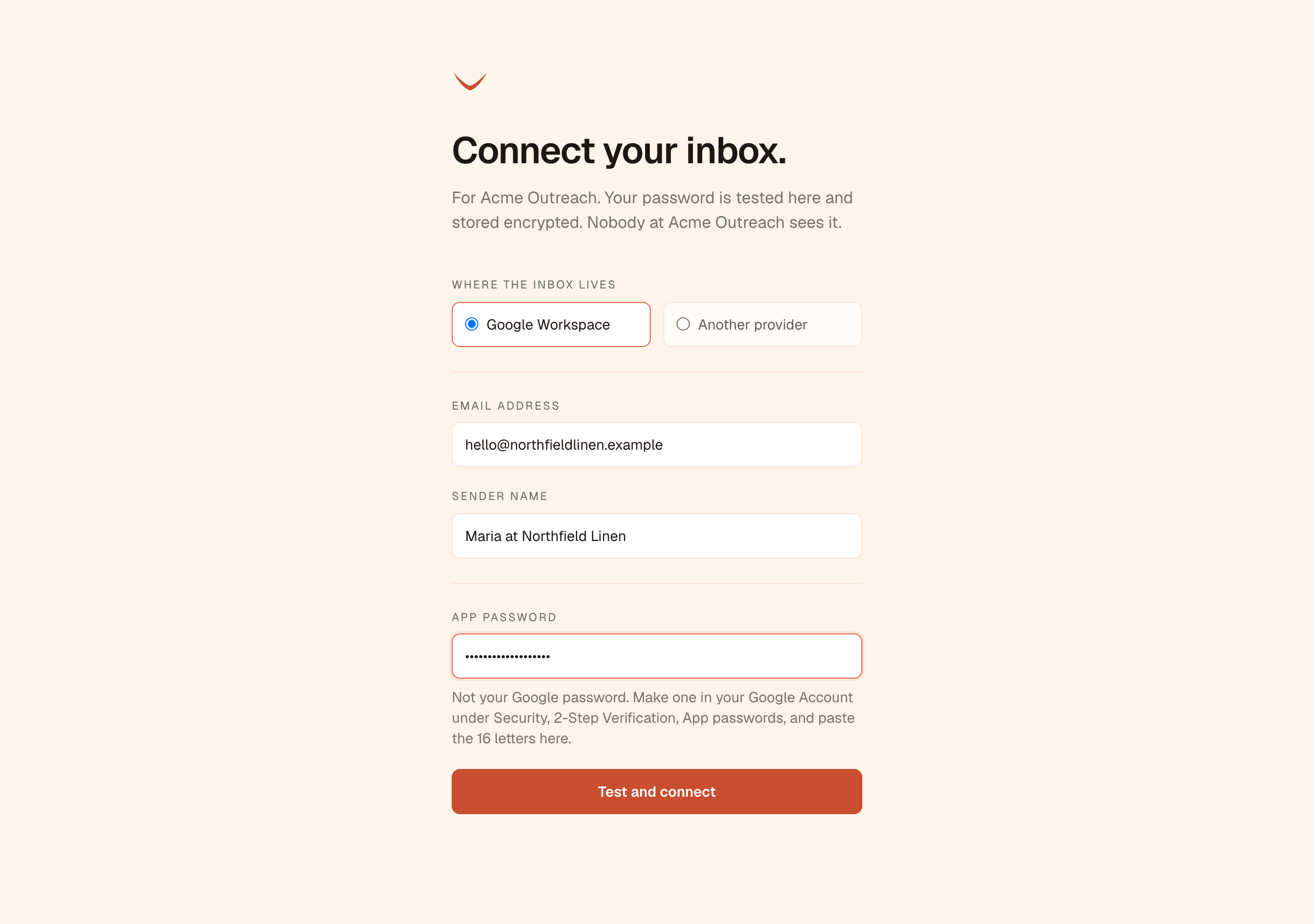
The client opens it with no login and says where the inbox lives. For Google Workspace they type the address, a sender name and an app password. For another provider they add the sending server and, for replies to be read, the receiving server. Test and connect signs in before anything is saved, so a typo or a refused sign-in leaves the link working for another try. The password is stored encrypted, and nobody in the workspace sees it.
Invite the client as a viewer
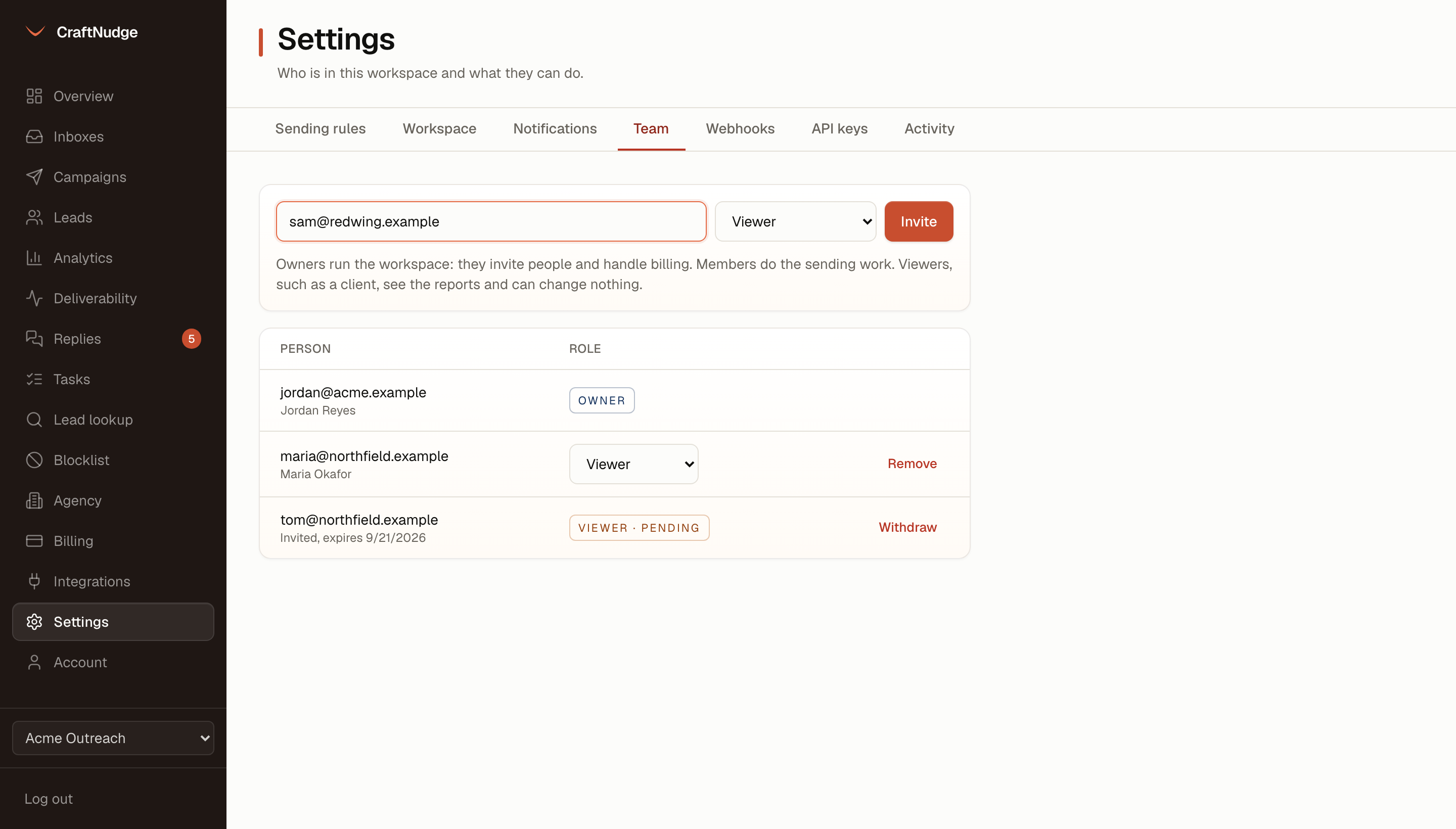
In Settings, on the Team tab, type the client's address, choose Viewer and press Invite. The invitation is emailed and lasts a week. Until it is accepted it shows on the Team tab, where Withdraw takes it back, and if there is nothing to send it from yet, the invitation is still made and the page tells you. Owners run the workspace and members do the sending work. A viewer sees the reports and can change nothing.
Share one campaign’s numbers
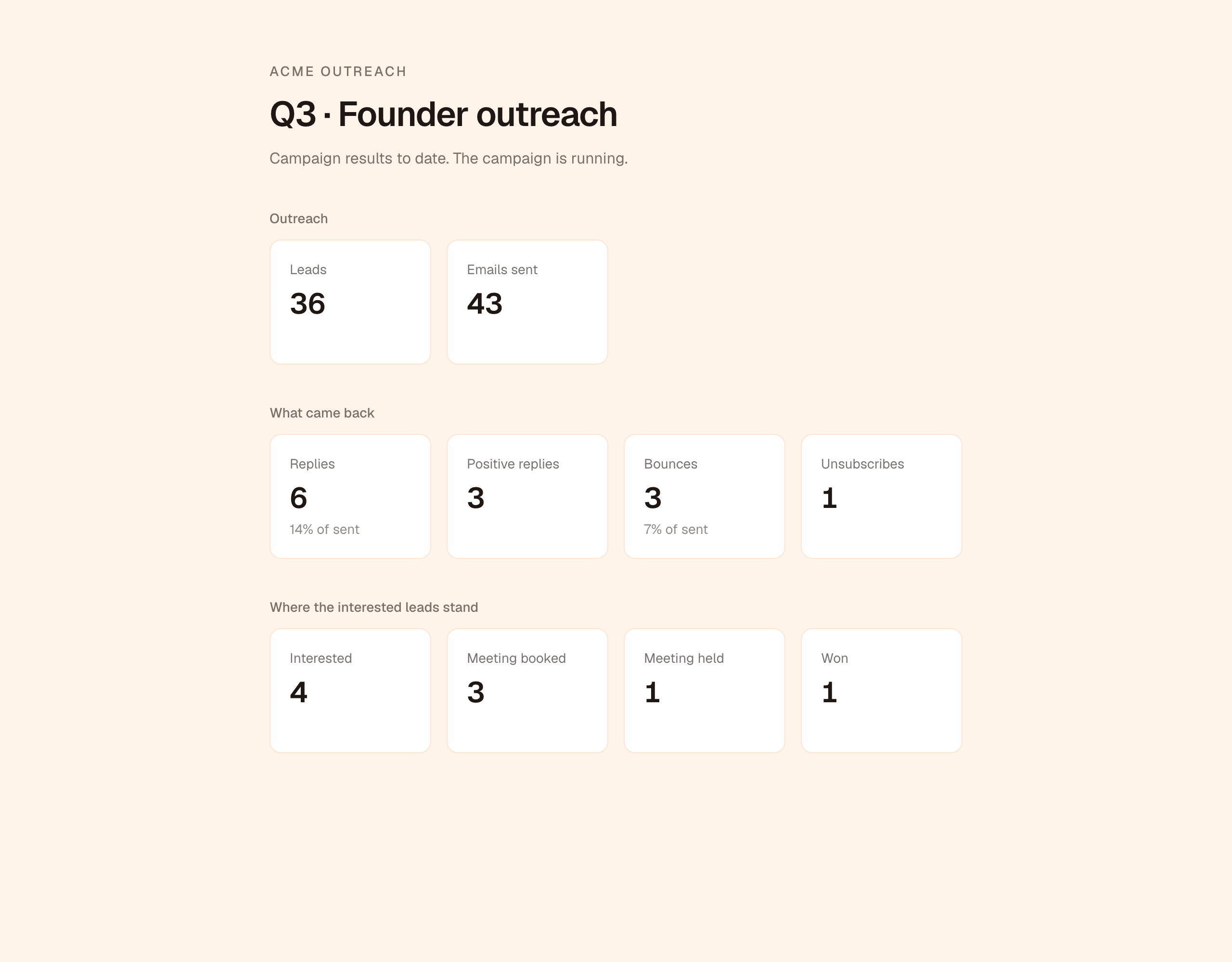
For a client who would rather not sign in, an owner opens Settings, on the Workspace tab, chooses a campaign under Client report links and presses Make a link. The link is shown once. Whoever has it sees the campaign's leads and emails sent, then its replies, positive replies, bounces and unsubscribes, and then where the interested leads stand: interested, meeting booked, meeting held and won. It is headed with your workspace's name. It shows no addresses, no reply text, no lost leads and no deal value, and a link you turn off stops opening.
What the client sees
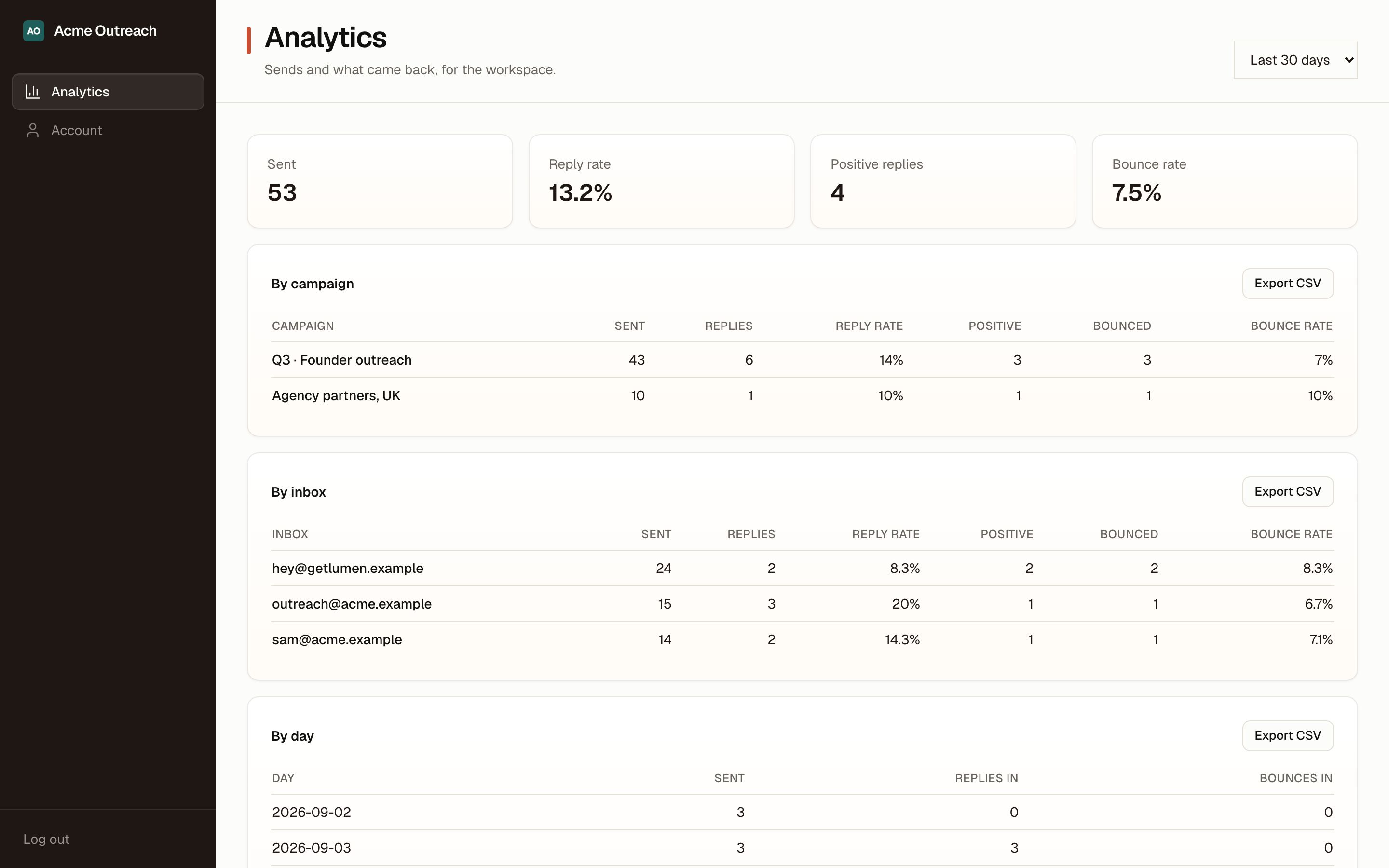
A viewer who signs in sees your agency's name and logo, when the workspace has them, and two things in the sidebar: Analytics, with the workspace's numbers by campaign, inbox and day, and their own account. Any other page they open goes back to Analytics, and the API refuses a viewer everything else in the workspace, so they cannot read replies, see leads, touch an inbox or change a setting. If they have workspaces of their own, they can still switch to those.